WhatsApp Automation for Business: A Practical Guide for Gyms | GymPilot | GymPilot
WhatsApp Automation for Business: A Practical Guide for Gyms
Practical guide to WhatsApp automation for business in Indian gyms. Covers workflows, message types, impact measurement, and a step-by-step implementation
GymPilot Team
14 min read
Looking for the product itself? See gym expiry reminder software — built for Indian gyms, with WhatsApp reminders and UPI tracking.
Monday mornings at an Indian gym start with the same mess. The front desk has members asking why their UPI receipt never arrived, the trainer wants to know why the 6 am batch has not been billed, and someone is counting yesterday's cash by hand while the next renewal query is already waiting in the queue. The staff are not being careless, they are working inside a system that still depends on memory, scraps of paper, and too many follow-ups.
For a gym in India, whatsapp automation for business is not a marketing luxury. It is the cleaner way to handle receipts, renewals, batch reminders, and owner alerts on the channel members already check. WhatsApp is central to that reality in India, where WhatsApp said there were more than 15 million WhatsApp Business app users every month in India in July 2020, out of over 50 million globally, and recent reporting still places India as the world's largest WhatsApp user base with about 535.8 million users in 2025 and more than 15 million active WhatsApp Business users in another 2026 source LiveMint coverage of WhatsApp Business adoption in India, WhatsApp user statistics for businesses in India.
Practical rule: if a member keeps saying, “Bhaiya, WhatsApp pe bhej do na,” the gym has already told staff where the workflow should live.
The Monday Morning Reality at an Indian Gym
The first ninety minutes at a mid-size Indian gym are rarely calm. One member is at the desk because the payment went through on UPI, but the confirmation was buried in the phone and never forwarded to staff. Another member wants a fee receipt re-sent because the original was deleted from chat. A third is asking why the renewal reminder never came before the expiry date.
The manager is often doing two jobs at once, running the desk and cleaning up accounting gaps. Cash entries come in late, part-payments get written on a slip, and the final number for the day does not always match what the front desk thought it collected. That is where mistakes start, because the team is chasing facts after the fact instead of recording them when the action happens.
What keeps getting missed
Receipts: Staff forget to send them on time, or send them from the wrong number.
Renewals: Members miss expiry dates because the reminder sat in email or never left the desk notebook.
Batch changes: A trainer changes the class timing, but the message reaches only the members standing nearby.
Owner visibility: The owner hears about low collections after the day is already over.
A gym that runs this way does not need more effort from the front desk, it needs fewer manual handoffs. WhatsApp fits because the message arrives where members already spend their time, and because the workflow can be tied to a payment, an expiry date, or a batch update instead of depending on someone remembering to follow up.
The point is simple. The front desk is not failing because staff are disorganised, it is failing because the communication system is fragmented. That is exactly why a member eventually asks for the simplest possible delivery method.
What WhatsApp Automation Actually Means for a Gym
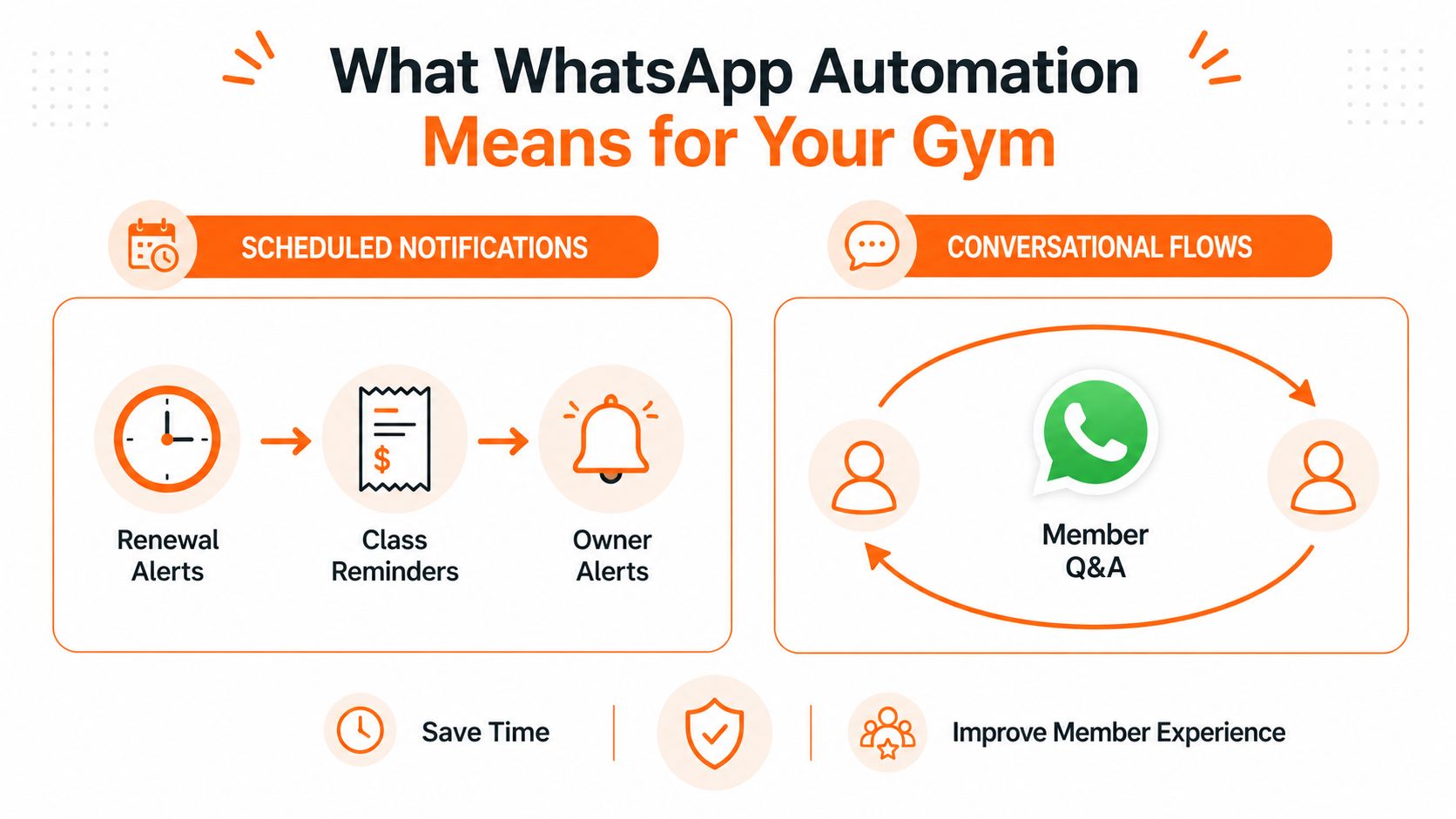
In a gym, automation means messages go out because something real happened in the business. A payment is recorded, a plan is about to expire, a new member joins, or a trainer changes a batch. The software triggers the message, and WhatsApp delivers it through approved business messaging, rather than asking a staff member to send every reminder manually. WhatsApp positions its business platform around customer engagement, conversational commerce, and enterprise-level messaging through APIs, which is the right fit for these repetitive operational tasks WhatsApp Business Platform.
Two different message paths
Scheduled notifications and conversational flows are not the same thing. Scheduled notifications are one-way messages, such as renewal alerts, digital receipts, class reminders, and owner alerts. Conversational flows are two-way chats that answer questions like timings, plan inclusions, or class schedules. The distinction matters because a gym does not need a full chatbot for every use case, but it does need structured outbound automation for the jobs the front desk repeats every day.
That is why the trigger matters more than the wording. A front desk member should not have to remember to send a renewal nudge after every expiry date, because the system can do that when the expiry event happens. The same logic applies to receipts after a UPI, cash, card, or partial payment, since the payment record already exists inside the software.
What it is not
Automation is not a salesperson blasting from a personal number. It is not a loose broadcast list with no audit trail. It is also not a free-form chatbot script that guesses at every member question, because the gym's highest-value jobs are usually predictable and repetitive, not open-ended.
For a practical view of how structured bot journeys differ from casual chat, the Chatgrow collection of WhatsApp bot case studies is useful context. The better gym workflows stay closer to notifications and service flows than to flashy chatbot demos.
A useful mental model is this, the system watches for a business event, then sends the right message to the right person through a template. That keeps the front desk out of repetitive follow-up work and gives the owner a record of what went out.
Message Types That Run an Indian Gym on Autopilot
The message list for a gym is shorter than most owners think. It does not need dozens of campaigns, it needs a few reliable templates that match how Indian gyms collect money and manage members. The right mix covers revenue, attendance, batch communication, and owner visibility without turning the account into a broadcast machine.
The core message families
Message Type
Trigger Event
Key Data Fields
Operational Outcome
Payment receipt
UPI, cash, card, or partial payment recorded
Member name, amount, payment mode, invoice or receipt number, GST details if applicable
Faster reconciliation and fewer desk queries
New-member welcome
Member joins or activates plan
Member name, plan, start date, orientation details, trainer or batch details
Clear first-day onboarding
Expiry reminder
Plan is near expiry
Member name, expiry date, renewal amount, payment link or desk note
Fewer missed renewals
Attendance nudge
Member stops visiting for a stretch
Member name, last visit date, trainer or batch reference
Re-engagement before drop-off becomes permanent
Batch or class reminder
Batch timing changes or class is due
Batch name, timing, venue, coach name
Fewer confusion calls and walk-ins
Trainer schedule update
Trainer rosters change
Trainer name, new batch, timing, effective date
Cleaner staff coordination
Owner alert
Payment issue, low attendance, or renewal gap
Member, amount, status, source of issue
Faster intervention by the owner
The payment receipt is the most urgent of the bunch because it closes the loop at the desk. Under GST, a registered supplier must issue a tax invoice with prescribed particulars, and when advance payment is received, a receipt voucher or another payment document must be issued. The GST invoice rules require specific fields, including supplier name, GSTIN, serial number unique for a financial year, date, recipient details, description, and amount of advance taken GST tax invoice and receipt voucher guidance, GST invoice rules.
The welcome message does quieter work. It reduces the number of first-day questions, because the member gets orientation details, plan boundaries, and the right point of contact without waiting at the front desk.
Owner alerts are different. They are not member-facing and they should not be treated like marketing. They exist so the owner sees failed payments, missed follow-ups, or weak renewals before the day closes.
For a deeper workflow reference, GymPilot publishes a practical guide on automated messages on WhatsApp that fits this kind of member communication structure.
Built-In Gym Software Versus the WhatsApp Business App
A lot of gyms begin with the WhatsApp Business app because it is free and familiar. That works for a while, but it also means staff are copying member numbers, typing receipts, and sending reminders by hand after every payment or expiry event. The difference is not the app itself, it is whether the message is tied to the member record or detached from it.
Side by side in practice
Dimension
Built-In Gym Software
WhatsApp Business App
Trigger source
Payment, expiry, check-in, or member record
Manual action by staff
Receipt handling
Pulls the payment data straight from the member profile
Staff copy-paste details into a chat
Audit trail
Delivery and read history attached to the record
Basic app-level visibility, less structured for operations
Partial payments
Recorded against the member and reflected in the workflow
Usually handled through manual follow-up
GST fields
Can be tied to the stored invoice data
Needs manual entry every time
Staff control
Role-based permissions inside the gym system
Depends on who has access to the phone
Best fit
Gyms that want repeatable operations
Small studios with low message volume
The operational split becomes obvious. A built-in workflow means the payment is captured once, then the receipt goes out from that record. The app path means the front desk has to move the data around by hand, and every handoff is another chance to forget a detail.
The app is useful for quick replies, but it is a weak substitute for a record-driven workflow when cash, UPI, and part-payments are all moving through the same desk.
A practical comparison for small businesses appears in TrainingBooker's one page website builder guide, mostly because it shows the same pattern, simple tools work until the operating load demands structure. Gyms hit that point fast once renewal reminders and payment receipts become daily work.
GymPilot is one option in this category. It combines member management, WhatsApp automation for welcomes, receipts, and expiry reminders, payment tracking across UPI, cash, card, and partial payments, plus revenue and attendance views. For a gym that wants those pieces in one place, its fitness studio management software guide is the relevant place to review how the workflow fits together.
For a multi-branch gym, the DIY app approach usually becomes clumsy sooner than owners expect. Small studios can survive on it, but once multiple staff members, more payment types, and regular expiry reminders enter the mix, the app stops being enough.
Measuring Whether the Automation Is Working
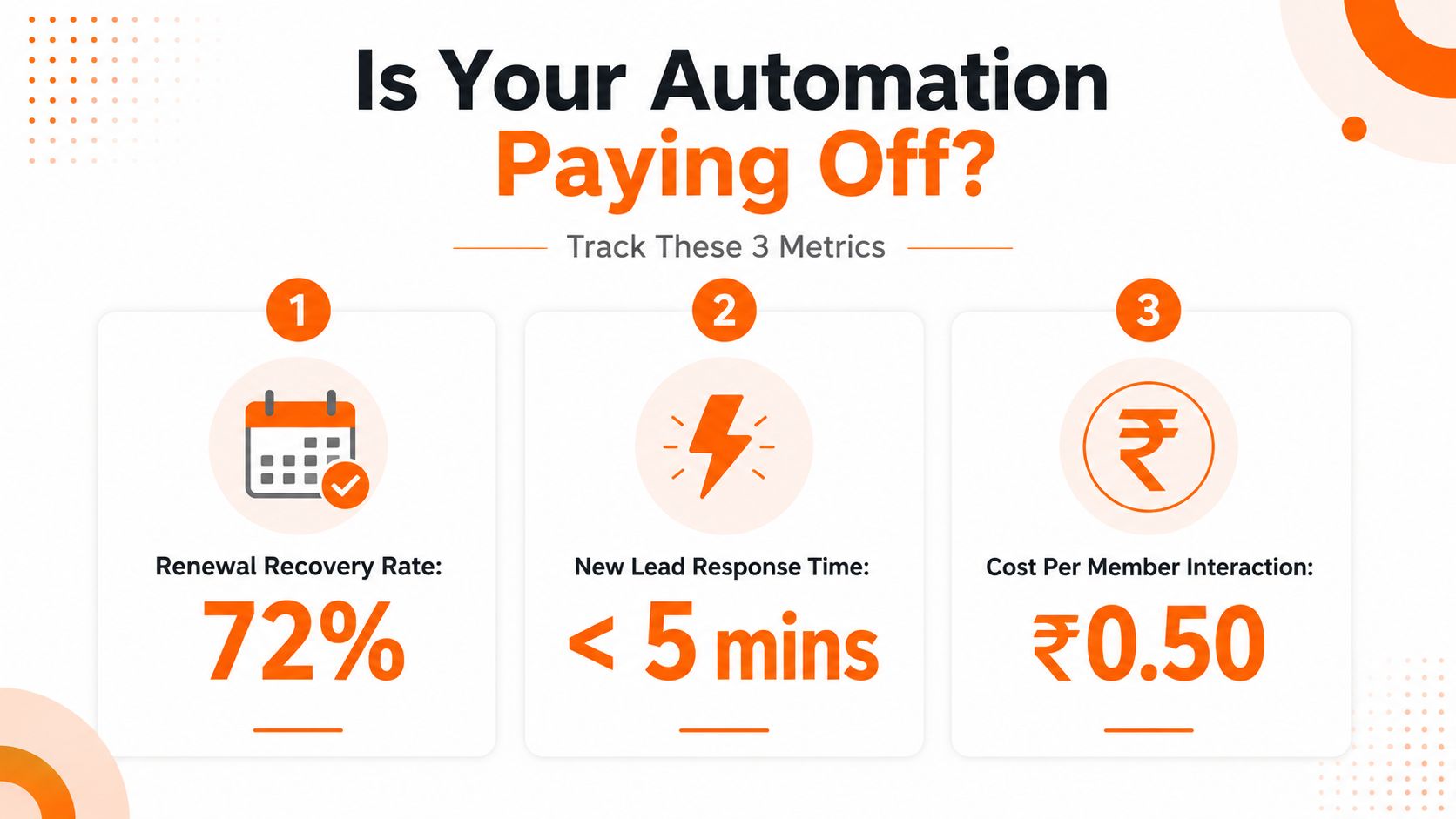
A gym does not need a complicated dashboard to know whether automation is helping. It needs three monthly checks that connect directly to money, desk load, and message reliability. Anything else is usually decoration.
The three numbers that matter
Renewal recovery rate. Of the members whose plans expired in the month, track how many renewed within seven days of the automated reminder sequence. This is the cleanest sign that the reminder logic is doing real revenue work.
Receipt delivery rate. Of all payments taken at the front desk, track how many triggered an automated receipt within five minutes. If that number is weak, the issue is usually a webhook, template, or workflow problem, not a member behaviour problem.
Front-desk time saved. Keep a simple count of how many renewal-date, batch-timing, and fee-status questions were handled in person before automation, and how many now get resolved through WhatsApp.
These numbers belong in a short monthly review, not a management science project. A manager can check the payment log, compare it with the sent-message log, and note where the front desk still fields repeat questions. That is enough to see whether the system is helping or drifting.
For a deeper way to read the operational numbers, GymPilot's gym management system report guide is useful because it keeps attention on actual collections and workflow output rather than vanity reporting.
Practical rule: if receipts are late, renewals are missed, or staff still answer the same questions by hand, the automation is not finished yet.
A good monthly review ends with one question, which templates should stay, which should be adjusted, and which should be removed because members ignore them. That keeps the system tied to the front desk instead of the other way around.
Implementation Checklist Before You Switch Anything On
A WhatsApp workflow should earn trust before it reaches members. At an Indian gym, that means testing the path from a front-desk payment to a correct receipt, whether the member pays by UPI, cash, card, or in part now and in part later. Set the templates, permissions, and fallback process before turning on proactive messages.
The launch order that prevents rework
Register the templates. Set the operator, brand, and category before sending anything. Start with welcome messages, payment receipts, expiry reminders, and operational alerts.
Capture opt-in at the front desk. Record the member's phone number against the profile and store a visible consent note. Staff should know which messages are approved for proactive sending.
Fill receipt fields correctly. Include the business legal name, GSTIN, invoice or receipt number, line item, and applicable tax breakup. For a partial payment, record what was received and what remains due, rather than sending a receipt that suggests the full fee was paid. GST documentation should follow the invoice and receipt-voucher requirements referenced earlier.
Set staff permissions. A trainer should not be able to trigger a mass message accidentally. Give the front desk access to payment workflows, while limiting template and broadcast changes to assigned administrators.
Test with staff phones first. Send the first messages to the team, then to one trainer batch, and only afterward to all members. Test UPI confirmation, cash entry, split-payment updates, and a failed or delayed payment status.
Watch the first week closely. Check whether receipts match the payment record, batch names are correct, and expiry reminders reach the intended members. A narrow rollout makes mistakes easier to trace.
For broader support workflow guidance, AgentStack's customer support automation guide is useful alongside the gym setup. It covers routing, ownership, and human fallback, the same controls needed when a payment or membership question cannot be resolved automatically.
Keep one manual fallback ready. If a webhook fails or a member pays cash before the system updates, the front desk should be able to record the transaction and send the corrected receipt without creating a duplicate charge.
Schedule a 15-minute monthly review with the front desk to audit template wording against current fees, batches, and trainer assignments.
Running the System Month After Month
WhatsApp automation only stays useful if someone owns it after launch. Template libraries drift, class timings change, and staff permissions get stale when the front desk team changes. A gym that treats automation as a one-time setup usually ends up sending outdated reminders within a few months.
The monthly habit
Audit templates against current rules. Old wording, stale offers, and mismatched categories should be removed before they become a delivery problem.
Prune ignored flows. If members never react to a message type, it should be shortened, retimed, or dropped.
Review delivery and read history. The message log should tell the owner whether the workflow still reaches people.
Check staff roles. The person who can edit messages today should still be the person who needs that access next month.
Update copy when the gym changes. If fees, batches, or trainers shift, the message should shift with them.
The deeper point is governance. A gym does not need more messages, it needs a cleaner rhythm around the messages it already sends. When the owner, manager, and front desk review the same template set each month, the system stays aligned with actual operations instead of drifting into noise.
That rhythm is what separates a WhatsApp workflow that supports the business from one that slowly becomes another manual chore. The right system should reduce follow-up work, surface payment issues faster, and keep member communication tied to the desk reality the team lives with every day.
If the front desk is still chasing receipts, expiry reminders, and batch updates by hand, it is time to move those jobs into a proper WhatsApp workflow. Review the message types, tighten the permissions, and test the first templates on staff phones before rolling them out to members, then keep the monthly review on the calendar so the system stays matched to how the gym runs.
 GymPilot Team